What Is a BLP File?
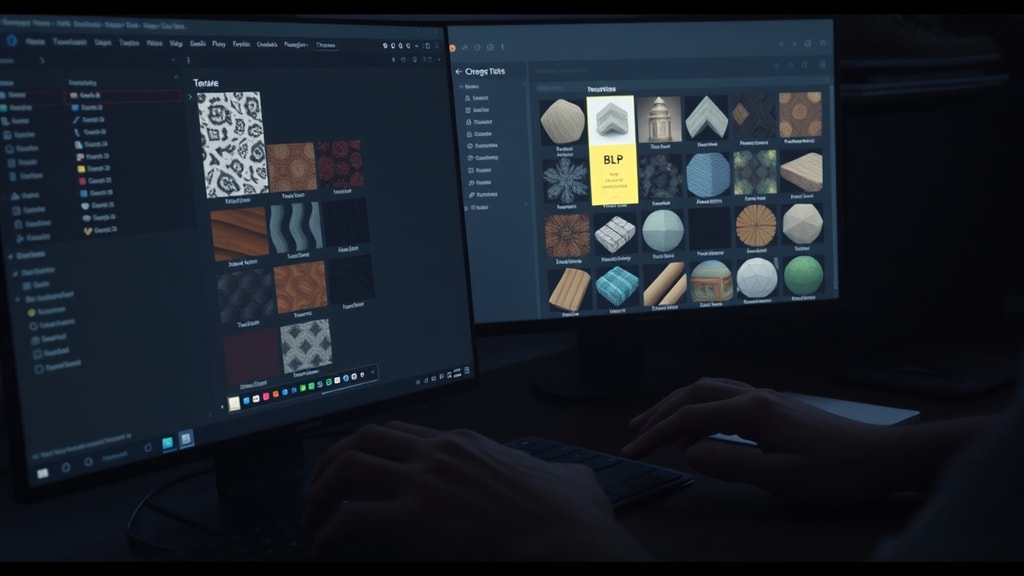
A BLP file, short for Blizzard Texture File, is a proprietary image format developed by Blizzard Entertainment. It is primarily used in popular video games such as World of Warcraft, Warcraft III, and Diablo III. The format stores texture images with optimized compression and precomputed mipmaps, allowing games to load and display textures efficiently at different distances. BLP files are not widely supported by standard image viewers, so users often need specialized software to open or convert them.
The creation of BLP files dates back to the late 1990s and early 2000s, when Blizzard needed a texture format that could handle multiple resolutions and support transparency. The format has evolved over time, with two major versions: BLP1 and BLP2. Despite being specific to Blizzard games, BLP files can be encountered by modders, texture artists, and gamers who customize game assets. Understanding how to open and work with these files is essential for anyone involved in modding or game development related to Blizzard titles.
Technical Structure of a BLP File
A BLP file begins with a header that identifies the file type and provides metadata about the image. The header includes a signature, usually "BLP1" or "BLP2", followed by information such as image width, height, compression type, and alpha channel depth. The header also contains a color palette of up to 256 colors, each encoded in BGRA 8888 format (blue, green, red, alpha).
After the header, the file stores one or more mipmaps. Mipmaps are precalculated, downsized copies of the original texture. They help the game engine display the texture at various distances without needing to rescale the full image every frame. The number of mipmaps depends on the original dimensions; for example, a 1024x1024 texture may have mipmaps down to 1x1. Each mipmap is stored sequentially, and the smallest ones are often used for faraway objects.
Optionally, BLP files can contain an alpha channel for transparency. The alpha data may be stored as 8-bit per pixel, or it can be embedded within the compression scheme, such as DXT2 or DXT5 formats. This makes BLP suitable for textures that require partial transparency, like foliage or glass.
Compression Methods Used in BLP
BLP files support two primary types of compression: palette-based and DXT (DirectX Texture) compression. Palette compression uses 8-bit indices that reference a 256-color palette. This method reduces file size by limiting the number of distinct colors. It works best for images with fewer colors, such as icons or simple textures.
DXT compression, also known as Block Compression, is used for higher quality textures. The format supports DXT1, DXT3, and DXT5. DXT1 provides 1-bit alpha (on/off transparency) and is suitable for opaque or simple transparent areas. DXT3 stores 4-bit alpha per texel, while DXT5 uses interpolated alpha for smoother gradients. Blizzard typically chooses the compression type based on the texture's purpose and hardware compatibility.
Alpha channels can be stored separately or combined with the compression. In BLP2, alpha data is often stored as an 8-bit grayscale image, providing 256 levels of transparency. This gives modders flexibility when creating transparent elements like spell effects or glass windows.
BLP Versions: BLP1 vs. BLP2
The two main versions of BLP are BLP1 and BLP2. BLP1 is older and historically limited to a maximum image dimension of 512 pixels. It was used in earlier Blizzard games such as Warcraft III: Reign of Chaos. BLP2, introduced with Warcraft III: The Frozen Throne and later adopted by World of Warcraft, allows dimensions up to 65,535 pixels. BLP2 also supports extended palette sizes and improved compression options.
The table below summarizes the key differences between the two versions:
| Feature | BLP1 | BLP2 |
|---|---|---|
| Max dimension | 512 pixels | 65,535 pixels |
| Palette size | 256 colors | 256 colors (or custom) |
| Supported compression | Palette, DXT1, DXT3 | Palette, DXT1, DXT3, DXT5 |
| Alpha channel | 1-bit or 8-bit | 1-bit, 4-bit, or 8-bit |
| Common uses | Warcraft III (classic) | WoW, Warcraft III: TFT, Diablo III |
Most modern Blizzard games use BLP2, but older modding projects may still encounter BLP1 files. Tools that support BLP2 can usually open BLP1 files as well, though some features might be limited.
Alternative Uses of the .blp Extension
Although the primary association is with Blizzard textures, the .blp extension occasionally appears in other contexts. One known alternative use is in the puzzle game Speedy Eggbert, developed by Epic MegaGames. In that game, .blp files contain game data such as MIDI music or bitmaps. However, these files have a completely different structure and are not related to Blizzard's format.

File extension databases sometimes list .blp under other programs, but the vast majority of .blp files encountered by users are Blizzard textures. If you have a .blp file that does not open in a Blizzard texture viewer, it may be from Speedy Eggbert or another obscure application. In such cases, examining the file header with a hex editor can reveal whether it starts with "BLP1" or "BLP2".
How to Open a BLP File
Opening a BLP file requires specialized software, as common image viewers like Windows Photos or Apple Preview do not support the format. Below is a list of recommended tools and methods:
- XnView – A free image viewer that can open BLP1 and BLP2 files. Install the full version with plugins for maximum compatibility.
- Addon Studio for World of Warcraft – An open-source tool designed for WoW modding. It can view and convert BLP textures.
- BLP Converter – Many standalone converters exist, such as BLPLab or BLP2PNG. These allow batch conversion to PNG, TGA, or DDS.
- Game Modding Tools – Programs like Warcraft III Viewer or WoW Model Viewer can display BLP textures within the game context.
- Online Converters – Several websites allow uploading a BLP file and downloading it as a common image format. Exercise caution with sensitive data.
For Windows users, the simplest approach is to install XnView. After installing, open the program, navigate to the BLP file, and double-click to view it. XnView also allows you to export the file to JPEG, PNG, or BMP. Mac and Linux users can try GIMP with a BLP plugin or use Wine to run Windows tools.
BLP Conversion: Things to Know
When converting BLP files to standard formats, keep in mind that the mipmaps and alpha channel may be lost if not handled correctly. Most converters extract only the highest resolution mipmap. If you need the lower resolution versions for your project, you may have to generate them yourself. Also, the palette information is discarded during conversion to true color formats, so the resulting image may look slightly different if the original used palette compression.
Converting in the opposite direction (standard image to BLP) requires a tool that supports Blizzard's compression. Modders often use BLPLab or the Texture to BLP function in Addon Studio. Be aware that the game expects textures with power-of-two dimensions (e.g., 256, 512, 1024) and proper mipmap chain. Noncompliant files may cause graphical glitches or crashes in the game.
For more detailed technical specifications, refer to the wowdev Wiki page on BLP. It explains the bit-level structure of the header and compression flags.
Common Issues When Opening BLP Files
Some users encounter errors when trying to open BLP files. The most common issue is using an outdated viewer that only supports BLP1. If you see a "bad file format" message, check the file header in a hex editor to identify the version. Then use a tool that supports BLP2.
Another problem is missing alpha channels. Some viewers ignore the alpha data and display the texture with a black background. To view the alpha channel, use a program like XnView that can show the transparency overlay. Alternatively, convert the file to PNG, which preserves alpha.

Occasionally, a BLP file may be damaged or partially corrupted. In that case, try opening it with different tools. If none succeed, the file might be from a non-Blizzard source. As a last resort, you can attempt to open it as a raw image by guessing dimensions, but this rarely yields usable results.
Tools for Developers and Modders
Developers who need to read BLP files programmatically should consult the format documentation. The Solvusoft article on BLP files provides a practical overview, but for code implementation, the wowdev wiki is indispensable. Libraries like LibBLP (C++) or BLP2PNG (Python) exist for parsing BLP files.
For advanced users, editing BLP files directly is possible with hex editors or specialized texture editors. Remember that the game engine expects specific byte alignment and mipmap order. Modifying a BLP file incorrectly can lead to crashes or visual artifacts.
References
Blizzard Entertainment. (n.d.). BLP Texture File Format. wowdev Wiki. Retrieved from https://wowdev.wiki/BLP
Just Solve the File Format Problem. (n.d.). BLP. Archive Team. Retrieved from http://justsolve.archiveteam.org/wiki/BLP
Solvusoft. (n.d.). BLP File Extension: What Is It & How To Open It? Retrieved from https://www.solvusoft.com/en/file-extensions/file-extension-blp/
The Hive Workshop. (2016). BLP Specifications (WC3). Retrieved from https://www.hiveworkshop.com/threads/blp-specifications-wc3.279306/