What Is Wi-Fi? The Technology Behind Wireless Internet
Wi-Fi is a wireless networking technology that allows devices such as smartphones, laptops, tablets, and smart home gadgets to connect to the internet and communicate with each other without the need for physical cables. It is based on the IEEE 802.11 family of standards, which define how radio waves are used to transmit data over local area networks. Wi-Fi typically operates in the 2.4 GHz, 5 GHz, and more recently the 6 GHz bands. The 2.4 GHz band offers better range and wall penetration but lower speeds, while the 5 GHz and 6 GHz bands provide higher data rates but shorter range. Modern routers can simultaneously broadcast on multiple bands, allowing devices to switch automatically for optimal performance.
Contrary to common belief, Wi-Fi is not an acronym for "Wireless Fidelity." The term was created by the marketing firm Interbrand as a brand name to serve as an interoperability seal. The correct branding includes the hyphen: Wi-Fi. The name was chosen because it sounded catchier than the technical term "IEEE 802.11b Direct Sequence." This misconception persists, but major sources such as Verizon and FactRetriever confirm the true origin. Understanding Wi-Fi as a brand rather than a technical acronym helps users appreciate that certified devices are tested for compatibility.
How Wi-Fi Works: The Basics of Wireless Data Transfer
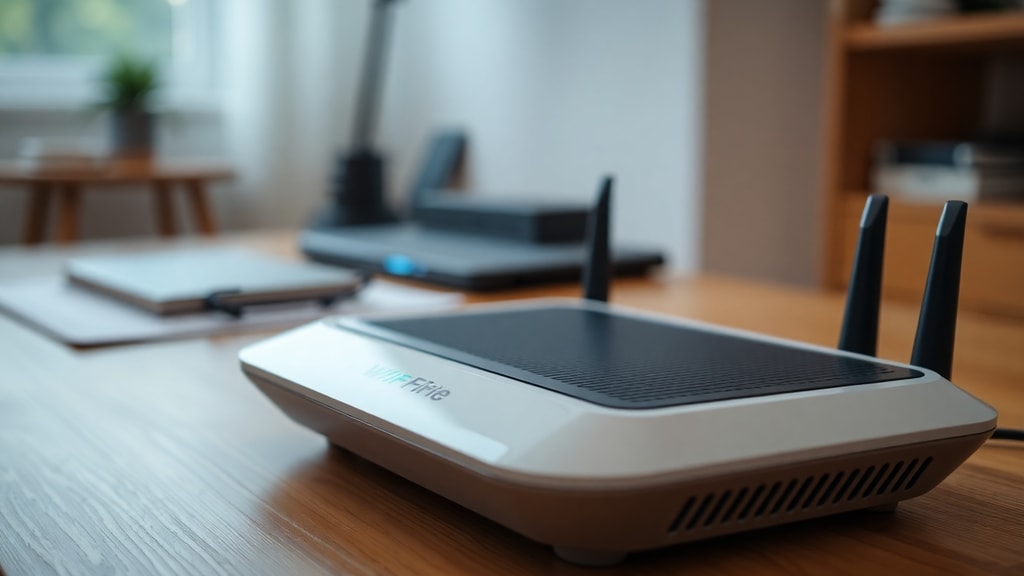
Wi-Fi works by converting data into radio signals and transmitting them through the air using a wireless router. The router is connected to a modem, which brings the internet connection from your internet service provider into your home or office. When you send a request, such as loading a webpage, your device creates a data packet and sends it to the router via radio waves. The router then forwards that packet to the modem and out to the internet. The process works in reverse when data comes back. Both the router and the device must support the same Wi-Fi standard to communicate efficiently. The speed and reliability of the connection depend on factors like the distance from the router, physical obstructions, interference from other electronic devices, and the number of devices sharing the network.
The Evolution of Wi-Fi Standards: From 802.11b to Wi-Fi 7
Wi-Fi technology has gone through several generations, each bringing significant improvements in speed, range, and security. The most common naming convention now uses numbers instead of the older IEEE 802.11 labels. Wi-Fi 4 (802.11n) introduced MIMO technology for better throughput. Wi-Fi 5 (802.11ac) focused on the 5 GHz band with wider channels. Wi-Fi 6 (802.11ax) brought higher efficiency in crowded environments and better battery life for devices. The latest generation, Wi-Fi 7 (802.11be), is now being adopted and promises speeds up to 46 Gbps by using a wider 320 MHz channel width, 4K QAM modulation, and multi-link operation. According to a markets report cited by The Network Installers, the global Wi-Fi market was valued at $22.06 billion in 2023 and is projected to reach $45.12 billion by 2028, growing at a 15.4% CAGR. This growth is driven by increased demand for high-bandwidth applications like video streaming, gaming, and IoT.
| Generation | IEEE Standard | Max Speed | Frequency Bands | Key Feature |
|---|---|---|---|---|
| Wi-Fi 4 | 802.11n | 600 Mbps | 2.4 GHz, 5 GHz | MIMO |
| Wi-Fi 5 | 802.11ac | 3.5 Gbps | 5 GHz | MU-MIMO |
| Wi-Fi 6 | 802.11ax | 9.6 Gbps | 2.4 GHz, 5 GHz | OFDMA, Target Wake Time |
| Wi-Fi 6E | 802.11ax | 9.6 Gbps | 6 GHz added | Extended spectrum |
| Wi-Fi 7 | 802.11be | 46 Gbps | 2.4, 5, 6 GHz | 320 MHz channels, Multi-Link |
Security Concerns: Staying Safe on Wi-Fi Networks
Security is a critical aspect of Wi-Fi use. Without proper encryption, your data can be intercepted by attackers. Open Wi-Fi networks, like those in coffee shops or airports, are especially vulnerable. Research from FactRetriever indicates that hackers can compromise a user's data on an open Wi-Fi network in under two seconds if encryption is weak or absent. To protect yourself, always use a network with WPA3 encryption, which is the latest security standard. If your router only supports WPA2, ensure you use a strong password and enable the highest encryption available. Avoid accessing sensitive accounts like banking or email on public Wi-Fi unless you use a VPN. Also, keep your router firmware updated to patch known vulnerabilities. Many modern routers offer automatic updates, which is a feature worth enabling.
Practical Tips for Improving Your Wi-Fi Performance
To get the best experience from your Wi-Fi network, consider the following actionable tips. These strategies can help reduce lag, increase coverage, and ensure stable connections for all your devices.

- Place your router in a central location, away from walls and large metal objects.
- Avoid placing the router near other electronics like microwaves or cordless phones that emit interference.
- Use a dual-band or tri-band router to let devices choose the least congested frequency.
- Update your router firmware regularly or enable automatic updates.
- Change the default Wi-Fi channel to one with less congestion, especially in apartment buildings.
- Consider a mesh Wi-Fi system if you have a large home or many dead zones.
- Use a wired Ethernet connection for stationary devices like gaming consoles or desktop computers to free up wireless bandwidth.
- If you notice slow speeds, reboot your router once a month to clear temporary data.
- Enable Quality of Service (QoS) settings to prioritize traffic for video calls or streaming.
The Future of Wi-Fi: What Comes Next
Wi-Fi technology continues to evolve. Wi-Fi 7 is already rolling out in high-end devices and routers. It promises to deliver ultra-low latency and speeds that rival wired connections. Beyond Wi-Fi 7, researchers are exploring even higher frequency bands and advanced beamforming techniques. The expansion of the Internet of Things (IoT) will also push Wi-Fi to become more efficient at handling thousands of simultaneous connections. According to The Fact File, approximately 72.9% of American households use Wi-Fi networks, correlating with 89% of US households having a broadband connection. As more people work and study remotely, reliable Wi-Fi has become essential infrastructure. Governments and companies are investing in public Wi-Fi hotspots, and integration with 5G cellular networks is creating hybrid solutions. The goal is to provide seamless connectivity indoors and outdoors without interruption.
Another trend is the use of Wi-Fi sensing, where routers can detect movement or even vital signs through radio wave reflections. This has applications in smart homes and healthcare. However, privacy concerns will need to be addressed. The Wi-Fi Alliance, the industry body that certifies Wi-Fi products, continues to update security protocols and interoperability standards. Consumers should look for the Wi-Fi Certified logo when buying routers or devices to ensure compatibility and security.

Common Misconceptions About Wi-Fi
Despite its ubiquity, many myths surround Wi-Fi. One is that leaving Wi-Fi on all night harms health. Studies have found no conclusive evidence that Wi-Fi radiation poses any risk below regulatory limits. Another myth is that a higher antenna count always means better signal. While MIMO technology benefits from multiple antennas, the quality of the router hardware matters more. Some people believe that turning off Wi-Fi when not in use saves significant electricity, but modern routers consume very little power. Also, it is a mistake to think that always using a VPN makes your Wi-Fi completely safe. A VPN encrypts your traffic but does not protect against all types of network attacks. Always combine a VPN with proper router security.
Why Wi-Fi Remains Essential
Wi-Fi has transformed how we live, work, and play. It enables streaming high-definition video, online gaming, video conferencing, and smart home automation without the clutter of wires. The convenience of wireless connectivity has made it a standard feature in homes, offices, schools, and public spaces. For businesses, Wi-Fi supports inventory management, point-of-sale systems, and guest internet access. The market growth projections underscore how critical Wi-Fi is to modern life. As the technology becomes faster and more secure, it will continue to replace wired connections for most applications. However, for tasks requiring absolute stability and speed, such as data centers or high-frequency trading, wired Ethernet remains preferable. The balance between convenience and performance is why both wired and wireless networks coexist.
To learn more about the technical foundation of Wi-Fi, you can refer to Cisco's explanation of Wi-Fi for a deep dive. For statistical data on usage and security, the FactRetriever page on Wi-Fi facts provides interesting numbers and trivia.
References
Cisco. "What Is Wi-Fi?" Cisco, 2026. https://www.cisco.com/site/us/en/learn/topics/networking/what-is-wi-fi.html
Britannica. "Wi-Fi." Britannica, 2026. https://www.britannica.com/technology/Wi-Fi
Verizon. "Wi-Fi Definition." Verizon, 2026. https://www.verizon.com/articles/internet-essentials/wifi-definiton/
FactRetriever. "Wi-Fi Facts." FactRetriever, 2026. https://www.factretriever.com/wi-fi-facts
The Network Installers. "Wi-Fi Statistics." The Network Installers, 2026. https://www.thenetworkinstallers.com/blog/wifi-statistics/
The Fact File. "Wi-Fi Facts." The Fact File, 2026. https://www.thefactfile.org/wi-fi-facts/