Understanding Router Web History Detection Software
Many people believe that home routers automatically store a complete record of every website visited on the network. This is a common misconception. In reality, most consumer routers do not save full browsing history by default. They may log metadata such as domain names, IP addresses, and timestamps, but this data is often limited and temporary. The idea of using software to detect or retrieve this history is appealing for parents, employers, or network administrators, but the technical reality is more complex. This article explains how router logs work, what software can and cannot do, and the best methods for monitoring web activity on a home network.
How Home Routers Handle Browsing Data
Home routers are designed primarily to route traffic between devices and the internet. They are not built to store detailed browsing histories. When you visit a website, your device sends a request to a DNS server to resolve the domain name into an IP address. The router sees this request and may log it if logging is enabled. However, with the widespread use of HTTPS encryption, the router cannot see the specific pages or content you access. It only sees the domain name and the IP address. For example, it might log that you visited youtube.com, but not which video you watched. This limitation is fundamental to understanding what router web history detection software can actually achieve.
Activating Router Logs Manually
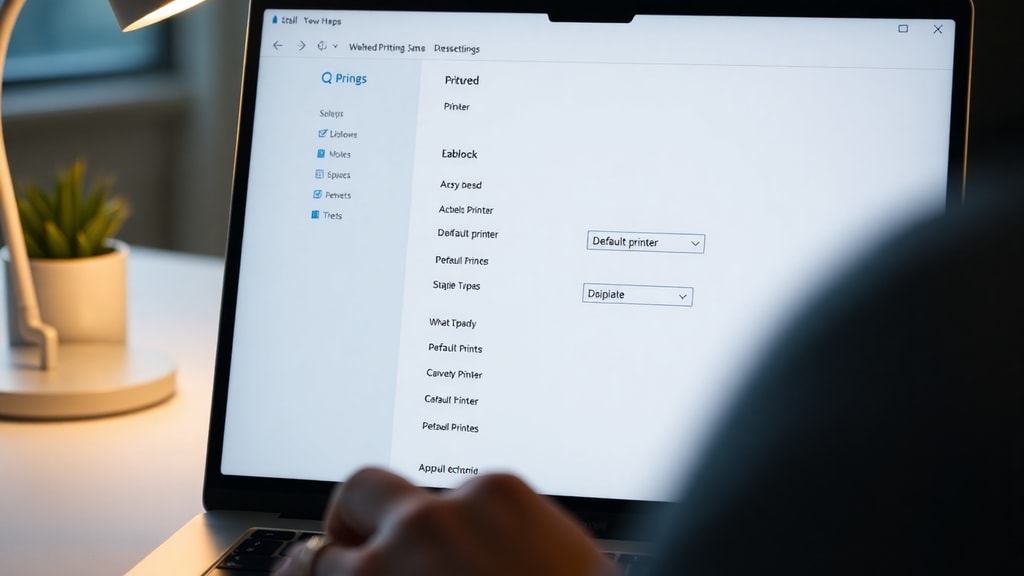
To view any browsing history from your router, you must first activate logging. This is not a default feature on most home routers. You need to access the router's administrative panel, usually through a web browser at an address like 192.168.1.1 or 192.168.0.1. Look for sections labeled Logs, System Log, Security Log, or DHCP Log. The exact location varies by manufacturer and model. Once enabled, the router will start recording connection data. This data typically includes the source IP address, destination IP address, port numbers, and timestamps. It does not include the full URL or page content. The logs are stored in the router's memory and are often overwritten after a few hours or days, depending on the device's storage capacity. You can usually export these logs as text files for analysis.

What Router Web History Detection Software Actually Does
Software marketed as router web history detection tools often promise more than they can deliver. Applications like mSpy, Fing, or TP-Link Tether are not magic solutions that extract hidden history from your router. Instead, they function as network management or parental control tools. They can show you which devices are connected to your network, monitor bandwidth usage, and in some cases, block certain websites. However, they cannot access a complete browsing history unless the router logs are already active and configured to share that data. Some software works by intercepting DNS queries or by installing agents on target devices. This is a different approach from reading router logs directly. It is important to understand these limitations before purchasing or installing such software.
DNS-Based Monitoring Solutions
The most effective way to monitor domain visits on a home network is through DNS-based solutions. Services like Pi-hole, OpenDNS, and NextDNS act as a central DNS server for your network. Every time a device requests a website, the DNS server logs the domain name. This gives you a clear record of all domains visited, regardless of which device made the request. Pi-hole is a popular open-source option that runs on a Raspberry Pi or a server. It also blocks ads and trackers. OpenDNS and NextDNS are cloud-based services that offer similar logging and filtering features. These solutions do not show the full URL or page content due to HTTPS encryption, but they provide a reliable list of domains. They are far more accurate than relying on router logs alone.
Limitations of Third-Party Detection Software
Many third-party applications claim to detect router web history, but their effectiveness is limited. For example, apps like Fing can scan your network and show connected devices, but they cannot retrieve historical browsing data from the router. mSpy is a parental control tool that requires installation on the target device to monitor browsing activity. It does not pull history from the router. Similarly, network monitoring tools like PRTG or Zabbix are designed for professional environments and require complex setup. They can capture traffic data, but they are not simple solutions for home users. The key takeaway is that no software can magically access a router's hidden history if the logs are not enabled. Always verify what a tool actually does before relying on it for monitoring.

Comparison of Monitoring Methods
To help you choose the right approach, here is a comparison of common methods for tracking web activity on a home network.
| Method | What It Shows | Setup Difficulty | Requires Consent |
|---|---|---|---|
| Router Logs (manual activation) | IP addresses, domains, timestamps | Medium | No |
| DNS-based (Pi-hole, OpenDNS) | Domain names only | Medium to High | No |
| Parental control apps (mSpy) | Full URLs if installed on device | Low to Medium | Yes |
| Network monitoring (PRTG, Zabbix) | Full traffic data | High | No |
Step-by-Step Guide to Enable Router Logs
If you want to try monitoring via router logs, follow these steps. First, open a web browser and enter your router's IP address. Common addresses are 192.168.1.1 or 192.168.0.1. Log in with your administrator username and password. If you have not changed these, check the router's label or manual. Next, look for a section called Administration, System Tools, or Advanced. Within that, find Logs, System Log, or Security Log. Enable the logging feature and set the log level to capture connection attempts or all traffic. Some routers allow you to send logs to an external server or email. Save the settings. After a few hours, return to the log page to view the data. You can usually download the log as a CSV or text file. Remember that logs are limited and may not show all activity.
List of Recommended Tools for Home Network Monitoring
Here is a list of tools that can help you monitor web activity on your home network. Each has different strengths and requirements.

- Pi-hole: Free, open-source DNS server that logs all domain requests and blocks ads. Requires a Raspberry Pi or server.
- OpenDNS: Cloud-based DNS service with free and paid plans. Offers logging and content filtering.
- NextDNS: Similar to OpenDNS with more customization and privacy features. Works on routers and devices.
- mSpy: Parental control software that monitors browsing on target devices. Requires installation on the device.
- Fing: Network scanning app that shows connected devices and network details. Does not log browsing history.
- TP-Link Tether: Official app for TP-Link routers. Manages settings and can show basic connection logs if enabled.
Legal and Ethical Considerations
Monitoring web activity on a home network raises important legal and ethical questions. In many jurisdictions, it is legal to monitor your own network, especially for parental control or security purposes. However, monitoring without the knowledge or consent of other users, such as guests or adult family members, may violate privacy laws. If you use software like mSpy, you typically need to install it on the target device, which requires consent. DNS-based monitoring logs all devices on the network, so you should inform users that their activity is being recorded. Always check local laws before implementing any monitoring solution. Transparency and consent are the best practices to avoid legal issues and maintain trust.
Why Full URL History Is Hard to Get
Even with the best tools, obtaining full URL history from a home network is difficult. HTTPS encryption prevents routers and DNS servers from seeing the specific pages or search terms you use. For example, a DNS log might show that you visited google.com, but not what you searched for. To see full URLs, you would need to install software on each device or use a proxy that decrypts traffic. This is complex and often requires user consent. For most home users, domain-level monitoring is sufficient to understand browsing patterns. If you need detailed history, consider using parental control apps that run directly on the device. These apps can capture full URLs, but they require installation and may be detected by tech-savvy users.
Real-World Examples and User Experiences
Discussions on forums like Reddit show that many users are frustrated by the limitations of router history detection. One user on r/HomeNetworking explained that they wanted to see their child's browsing history but found that their router only logged IP addresses for a few hours. They had to enable logging and then use a DNS service to get domain names. Another user shared that they tried several apps claiming to detect router history, but none worked as advertised. They eventually set up Pi-hole and found it reliable for monitoring domains. These experiences highlight the gap between user expectations and technical reality. The best approach is to combine router logs with a DNS-based solution for more complete data.

Conclusion
Router web history detection software is not a simple solution for viewing complete browsing history. Home routers do not store detailed logs by default, and HTTPS encryption hides page content. To monitor web activity effectively, you need to enable router logs, use DNS-based services like Pi-hole or OpenDNS, or install parental control apps on individual devices. Each method has its own strengths and limitations. Understanding these will help you choose the right tool for your needs. Always consider legal and ethical implications before monitoring network activity. With the right setup, you can gain valuable insights into the websites visited on your home network.
References
Reddit. (2025). How to see the search history or websites visited on a home network. r/HomeNetworking. Retrieved from https://www.reddit.com/r/HomeNetworking/comments/1jdc93j/how_to_see_the_search_history_or_websites_visited/
mSpy. (2025). Como acessar histórico do roteador. Retrieved from https://www.mspy.com/pt/community/t/como-acessar-historico-do-roteador/457

AirDroid. (2025). Parental control: check browsing history on WiFi router. Retrieved from https://www.airdroid.com/pt/parent-control/check-browsing-history-on-wifi-router/
mSpy. (2025). Qual o melhor rastreador de Wi-Fi para monitorar conexões. Retrieved from https://www.mspy.com/pt/community/t/qual-o-melhor-rastreador-de-wi-fi-para-monitorar-conexoes/245
Fing. (2025). Fing app on Google Play. Retrieved from https://play.google.com/store/apps/details?id=com.wifidetector.whousemywifi.wifiscan