Introduction
Durability is a critical mechanic in Minecraft. Every tool, weapon, and piece of armor has a limited number of uses before breaking. Knowing exactly how much durability remains can save you from losing a valuable item in the middle of a fight or a mining session. Unfortunately, the game does not always display this number clearly. Java Edition offers a hidden debug feature, while Bedrock Edition relies on vague color changes. This article will show you how to display precise durability numbers in both Java and Bedrock editions, using built-in settings, resource packs, commands, and mods. We will also explain why this information matters for gameplay efficiency and inventory management.
Why Knowing Durability Matters
When you are exploring caves, fighting mobs, or building large structures, your tools gradually wear down. Without a clear indicator, you risk a pickaxe breaking while you are deep underground or a sword failing during a raid. The game warns you with a cracking sound and visual cracks, but these warnings come late. A numerical durability display lets you plan repairs or replacements in advance. It also helps you decide which enchantments to apply, such as Unbreaking or Mending, based on how fast an item loses charges. For players who manage multiple sets of equipment, seeing exact numbers reduces guesswork and improves resource allocation. This is especially important in hardcore mode or multiplayer servers where losing a diamond sword can set you back significantly.
How to Show Durability in Java Edition
Java Edition provides several ways to check durability. The most direct method uses the debug screen. Press F3 and H at the same time to toggle the advanced tooltips. This must be done while you are in the game world, not inside a menu. After enabling it, hovering over any item in your inventory shows a line like "Durability: 1561 / 1561" for a diamond pickaxe. If the key combination does not work on a laptop, try using Fn+F3+H. This feature is hidden by default but is widely known among experienced players.
Another method uses commands. In singleplayer or with operator privileges, you can run /data get entity @p Inventory to list all items in your inventory along with their damage values. The damage value represents how much the item has been used. Subtracting that from the maximum durability gives the remaining uses. For the item in your main hand, use /data get entity @p SelectedItem. These commands require some text parsing but offer precise numbers without any mods.
Players who prefer visual aids can install mods like WAILA (What Am I Looking At) or Just Enough Items (JEI). These mods display durability next to the item name when you look at it or hover over it in the inventory. They are available on CurseForge and work with most versions of Java Edition. The following list summarizes the main methods for Java:
- Press F3+H to enable advanced tooltips (shows durability on hover).
- Use the /data get entity @p Inventory command to view numerical damage values.
- Install mods such as WAILA, JEI, or AppleSkin for enhanced durability display.
- Refer to the Minecraft World of Warcraft or other community guides for troubleshooting.
For Mac users, the F3 key may require holding the Fn key or using the system keyboard settings. The Stack Exchange community has a detailed discussion on this topic, which we reference later.
How to Show Durability in Bedrock Edition
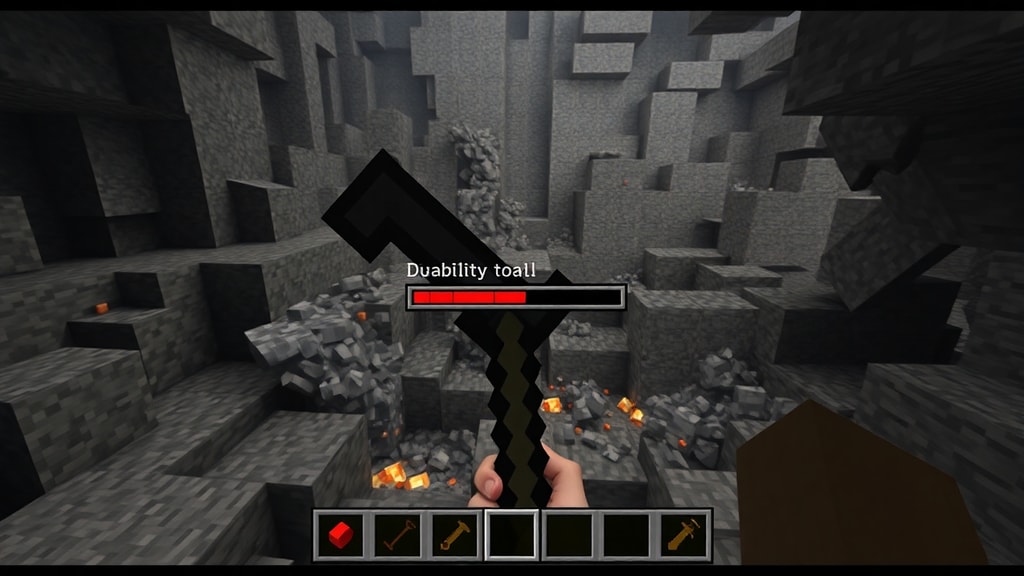
Bedrock Edition does not have a built-in debug screen like Java. By default, the game only shows a colored bar behind the item icon: green for near-full durability, yellow for around half, and red for low durability. This system is vague and does not give exact numbers. Many players find it insufficient, especially when managing enchanted tools that wear down at different rates. However, you can still see exact durability by using resource packs. The most popular one is Durability Viewer, available on CurseForge. It adds a small number to the item sprite, showing remaining durability in real time.
To install a resource pack in Bedrock, download the .mcpack file and open it with Minecraft. The game will automatically import it. Then go to Settings, Global Resources, and activate the pack. You can also apply it to a specific world. After activation, numbers appear on every tool, weapon, and armor piece. This works on Windows 10, console, and mobile versions of Bedrock. The resource pack does not require modding or cheats, so it is safe for any survival world.
Another option for Bedrock is to use commands, but the /data commands available in Java are not present. Instead, you can use the /enchant command to check if an item has a particular enchantment, but that does not reveal durability. The best workaround is to craft or use the grindstone to see how much experience you get from disenchanting, which indirectly hints at remaining durability, but this is impractical. Therefore, the resource pack approach is the recommended solution. Below is a table comparing the two editions:
| Edition | Default Display | Built-in Numeric Option | Recommended Add-on |
|---|---|---|---|
| Java | None | F3+H | Mods (WAILA, JEI) |
| Bedrock | Color bar (green/yellow/red) | No | Durability Viewer resource pack |
Using Resource Packs for Bedrock
Resource packs are an official way to change textures and sounds in Bedrock Edition without breaking the game rules. The Durability Viewer pack works by overlaying small numerals on each item icon. It updates the number as you use the item. The pack is available for free on CurseForge. Many other texture packs also include durability indicators, but Durability Viewer is the most lightweight and compatible with the latest Bedrock versions. After installing, you will see numbers like 1561 next to a diamond pickaxe, matching the game's maximum durability values. This pack does not affect performance and can be used alongside other resource packs, as long as they are stacked correctly in the resource pack list.
Some players worry that using a resource pack might be considered cheating on multiplayer servers. However, in most cases, resource packs are allowed because they only change client-side visuals. Servers that enforce vanilla textures may block some packs, but Durability Viewer is usually permitted. You can always ask the server admin if you are unsure.
Using Commands to Check Durability
Commands offer a text-based alternative for advanced users. In Java Edition, the /data command provides exact damage values. For example, running /data get block ~ ~ ~ on an item frame can show the durability of the item inside. For the item in your main hand, use /data get entity @p SelectedItem. The output includes a "tag" section with the damage value. For a diamond sword with 1561 maximum durability, a damage value of 0 means full, while 500 means it has been used 500 times. This method is precise but requires copying numbers and basic math. Some players create datapack commands to automate this, but that is beyond this article.
For Bedrock, the /data command does not exist. However, you can use the /testfor command with item data components, but that is complex and limited. The community has long requested a native numeric display. You can support this idea by upvoting the feature request on the Minecraft Feedback site, as seen in the references. Until then, the resource pack is the most practical solution.
If you are playing on a Java server without operator permissions, you may still use the F3+H method because it is a client-side feature. Commands require operator status, so they are not available on most survival servers. In that case, mods like WAILA also work on servers, since they only read data displayed by the server.
Additional Mods and Tools
Beyond the basic methods, several mods and tools enhance durability visibility. For Java Edition, the mod AppleSkin adds hunger and tool information, but it also shows durability when looking at blocks. The mod Not Enough Items (NEI) and its successor JEI display durability in the recipe viewer. For players who want to track durability across multiple items, the Inventory Tweaks mod can show a percentage bar. All these mods are available on CurseForge and require the Forge mod loader. For Bedrock, aside from Durability Viewer, there is also a resource pack called "Better GUI" that includes durability numbers. No mods are available for Bedrock due to its closed system, so resource packs remain the best option.
If you are a server administrator, you can install plugins like "DurabilityNotifier" that broadcast a warning when a player's tool is about to break. This works on Bukkit/Spigot servers and can be customized with messages. Such plugins are useful for minigame servers or survival servers where players often forget to repair items.
Conclusion
Knowing how to display durability in Minecraft is essential for efficient gameplay. Java Edition offers the straightforward F3+H toggle, commands, and mods. Bedrock Edition requires a resource pack like Durability Viewer. Both approaches give you the exact number of uses left, allowing you to plan repairs, avoid surprises, and manage your resources wisely. We recommend enabling advanced tooltips on Java immediately, and downloading the Durability Viewer resource pack for Bedrock. By using these methods, you can extend the life of your tools and keep your inventory organized. For further reading, the sources listed below offer detailed instructions and user experiences.
References
Minecraft Forum – Discussion on F3+H and keyboard limitations. URL: https://www.minecraftforum.net/forums/support/java-edition-support/1867377-f3-h-show-item-durability
Stack Exchange (Gaming) – Guide on F3+H for Windows and Mac users. URL: https://gaming.stackexchange.com/questions/172009/how-can-you-view-your-durability-on-minecraft
CurseForge – Durability Viewer resource pack for Bedrock Edition. URL: https://www.curseforge.com/minecraft/texture-packs/durability-viewer
Tecnobits – Step-by-step guide in Portuguese for both editions. URL: https://tecnobits.com/pt/como-mostrar-durabilidade-no-minecraft/
Minecraft Feedback – Community request for native numeric durability in Bedrock. URL: https://feedback.minecraft.net/hc/en-us/community/posts/360077235051-Show-Durability-on-Bedrock-Edition