Understanding the Modern Inbox
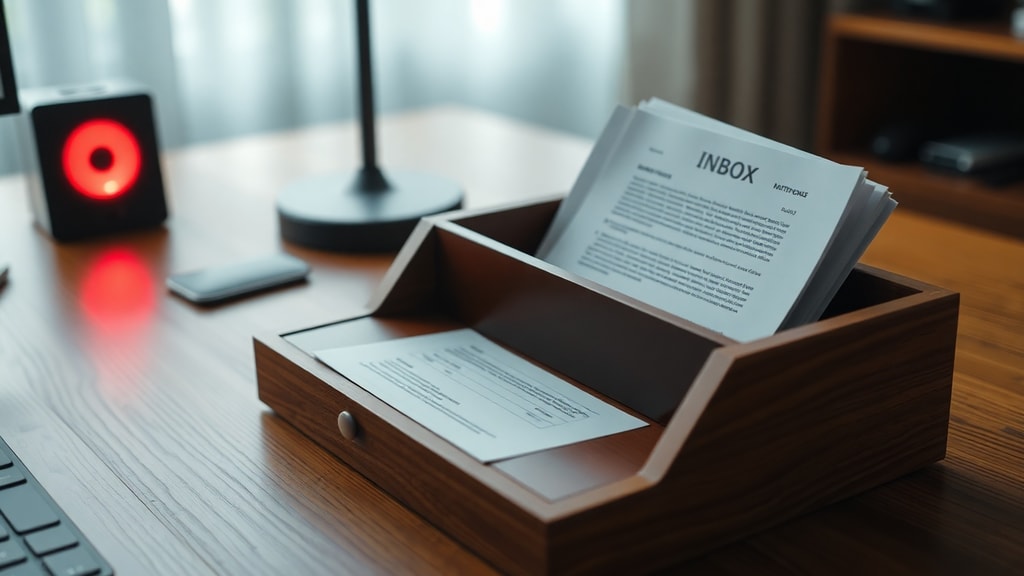
The inbox is the central computer folder or tray where users receive incoming email, messages, notifications, and tasks. It serves as the primary location for managing inbound digital communication. For most professionals, the inbox is the command center of their workday. It is where requests arrive, decisions are made, and actions are initiated. Yet the inbox is also a source of distraction and overwhelm. The term itself comes from the physical in-tray on a desk, but the digital version has multiplied in complexity. With approximately 376.4 billion emails sent and received globally every day as of 2025, and the average office worker receiving more than 117 business emails daily, the modern inbox is a floodplain. Nearly 45.6 percent of global email traffic is spam, adding another layer of noise. These numbers come from data compiled by ZeroBounce and other industry sources. The challenge is not just to read everything, but to manage it in a way that supports productivity rather than hinders it.
The Cost of a Chaotic Inbox
A cluttered inbox is not just an aesthetic problem. It has real costs in time, focus, and stress. Studies have shown that it takes an average of 23 minutes to regain focus after an interruption. Email notifications are among the most common interruptions. When an inbox contains thousands of unread messages, finding an important thread becomes a needle-in-a-haystack exercise. Decision fatigue also sets in. Every email demands a micro-decision: reply, delete, archive, or defer. Over a day, these small choices drain mental energy. The result is a slower response time, missed deadlines, and a feeling of being perpetually behind. The cost is measurable. According to McKinsey, the average professional spends 28 percent of their workday reading and answering email. That is more than two hours out of an eight-hour day. Without a system, those hours are inefficient. The inbox becomes a source of anxiety rather than a tool for communication.
Core Principles of Inbox Management
Managing an inbox effectively does not require perfection. It requires a repeatable process. The first principle is to treat the inbox as a temporary holding space, not a permanent storage bin. Email should be processed, not stored. The second principle is to use a one-touch rule when possible: if an email can be handled in two minutes, do it immediately. If not, schedule it or delegate it. The third principle is to separate action from information. Newsletters, automated notifications, and social updates should not mix with urgent client requests. The fourth principle is to schedule dedicated time for email, rather than checking it reactively throughout the day. This is often called batching. The fifth principle is to leverage folders, labels, or filters to automatically sort incoming messages. But beware of over-organizing. A system with too many folders can be as inefficient as no system at all. Interestingly, research from productivity experts suggests that storing all email messages together unfiled in the inbox is mathematically supported as the most efficient method for productivity. This idea challenges the "Inbox Zero" mantra. The article "The Myth of the Empty Inbox" by Amie Devero explains that a messy physical desk where items are arranged by touch can be effective. Similarly, an inbox with many messages can be navigated by recency and search rather than manual filing. This does not mean letting the inbox overflow with spam. It means trusting the search function and not wasting time on elaborate folder structures.
Tools and Techniques for Faster Organization
Beyond principles, specific tools and techniques can make inbox management faster. Here is a list of practical methods that professionals use to regain control:
- Use the Snooze feature: Temporarily remove an email from the inbox and have it reappear at a specified time. This is useful for messages that require action later but not now.
- Create filters and rules: Automatically label, archive, or forward emails based on sender, subject, or keywords. For example, all newsletters can be filtered to a "Read Later" folder.
- Enable canned responses or templates: For common replies, save a template. This cuts down on repetitive typing.
- Use a "Waiting For" folder: Move emails where you are awaiting a response from someone else into a dedicated folder. Review it weekly.
- Unsubscribe aggressively: Every newsletter you do not read is noise. Take five minutes daily to unsubscribe from unwanted lists.
- Use keyboard shortcuts: Gmail and Outlook have shortcuts for archiving, deleting, and moving between messages. Learning them shaves seconds off each action.
- Employ the "Touch It Once" method: When you open an email, decide immediately. Do not leave it in the inbox for later processing unless it truly requires a delayed action.
These techniques are not mutually exclusive. Many people combine batching with filters and snooze to create a structured workflow. The key is consistency. A technique used sporadically will not keep the inbox under control.
A Practical Comparison of Inbox Methods
Different inbox management methods suit different work styles. The table below compares three common approaches:
| Method | Description | Best For |
|---|---|---|
| Inbox Zero | Process every email to zero by the end of each day. Archive, delete, delegate, or respond to everything. | People who need a clean slate daily and have time to process constantly. |
| Touch It Once | Handle every email immediately if it takes less than two minutes. Otherwise schedule it. | Fast decision-makers who dislike revisiting messages. |
| Keep-All-Inbox | Leave all emails in the inbox, use search and recency to find what is needed. No filing. | People who rely on search and receive manageable volumes of non-spam email. |
Each method has trade-offs. Inbox Zero can lead to constant context switching. Touch It Once works well for quick decisions but can interrupt deep work. Keep-All-Inbox reduces filing time but may feel chaotic to some. The best approach is to test a method for two weeks and then adjust. No single method is perfect for everyone, but adopting any systematic approach is better than none.
The Science Behind Inboxing and Deliverability
The term "inboxing" also refers to the process of ensuring email actually reaches the recipient's inbox rather than the spam folder. This is a technical field, not just a productivity concept. Successful inboxing is determined by a weighted combination of identity accuracy standards such as SPF, DKIM, and DMARC, along with domain and IP reputation, behavioral patterns, and long-term engagement quality. In other words, it is not only about content. Even a well-written email can be flagged as spam if the sender's reputation is poor or the authentication records are missing. For business professionals who send many emails, understanding inboxing mechanics is valuable. It means checking that your email system is properly configured. It also means avoiding practices that hurt deliverability, like sending to stale lists or using spammy subject lines. The Mail-Tester blog explains the science behind inboxing in detail. For personal email users, this knowledge helps explain why some messages disappear. For businesses, it is critical for reaching customers. The inbox is the goal. Without good inboxing, your message might never be seen.
Learning from Google's Inbox Experiment
Google recognized the difficulty of inbox management in 2015 when it released a separate app called Inbox by Gmail. The app introduced features like Snooze, Bundles, and Assists. Bundles automatically grouped emails by category, such as travel, purchases, and finance. Assists showed relevant information at the top of messages, like flight status or package tracking. It was a powerful tool for organization. However, Google shut down Inbox by Gmail on April 2, 2019, integrating its best features into the main Gmail platform. Snooze and smart categorization are now core Gmail features. The lesson from Inbox by Gmail is that intelligent automation can greatly reduce the manual work of sorting. The app tried to predict what the user needed. While the app is gone, its innovations live on. Many other email clients have adopted similar bundling and snooze features. For users, the takeaway is to explore the tools your email provider already offers. Gmail, Outlook, and Apple Mail all have built-in rules, smart folders, and snooze options. Using them can replicate some of the Inbox by Gmail experience without any extra software.
Building a Sustainable Inbox Routine
The ultimate goal of inbox management is to make the system work for you, not the other way around. A sustainable routine starts with reducing the volume of incoming email. Unsubscribe from unwanted senders. Use filters to automatically archive low-priority messages. Then, decide on a processing schedule. Many experts recommend checking email three times a day: morning, after lunch, and before the end of the day. Outside those times, close your email client and turn off notifications. This protects deep work time. When you do process email, use the two-minute rule. For emails that require more than two minutes, add a task to your to-do list and archive the email. Do not use the inbox as a task list. That is one of the biggest mistakes people make. An inbox full of flagged messages becomes overwhelming. Instead, move actionable items to a separate tool. Finally, perform a weekly review. Look at your inbox, clean out any lingering messages, update filters, and reflect on what is working. Over time, the routine becomes a habit. The inbox becomes a well-managed gateway, not a source of dread.
References
Merriam-Webster Dictionary. "Inbox." https://www.merriam-webster.com/dictionary/inbox
Techcareer.net. "Inbox." https://www.techcareer.net/en/dictionary/inbox
Amie Devero. "The Myth of the Empty Inbox." Beyond Better. https://beyondbetter.io/myth-empty-inbox
Wikipedia. "Inbox by Gmail." https://en.wikipedia.org/wiki/Inbox_by_Gmail
ZeroBounce. "15 Facts You Need to Know About Email." https://www.zerobounce.net/blog/email-resources/be-a-better-marketer/15-facts-know-email
Mail-Tester Blog. "The Science Behind Inboxing." https://mail-tester.com/blog/the-science-behind-inboxing/
FindLaw. "Inbox Insight Inc. v. Manganaro, 2021." https://caselaw.findlaw.com/court/ma-court-of-appeals/2156573.html