Understanding Laptop Screen Sizes
One of the first decisions you face when buying a new laptop is choosing the screen size. The tamanho da tela do notebook, or laptop screen size, directly affects portability, comfort, and how you use the device. Whether you need a lightweight machine for travel or a large display for creative work, understanding the measurements and options available helps you make a confident choice. This guide explains everything you need to know about laptop screen sizes, from how they are measured to which size fits your lifestyle.
How Screen Size Is Measured
Laptop screen sizes are measured in inches, which is the standard unit used by manufacturers worldwide. The measurement refers to the diagonal distance from one corner of the active display area to the opposite corner. This diagonal measurement does not include the bezel, the plastic or metal frame around the screen. So when you see a laptop advertised as having a 15.6-inch screen, that number represents the diagonal length of the actual display, not the overall dimensions of the lid. This method is consistent across all brands, making it easy to compare sizes even between different manufacturers.
To be precise, the measurement starts at the bottom-left corner of the visible screen and goes to the top-right corner. Some people mistakenly measure the entire lid, but that gives an inaccurate number. Always measure only the glass or panel area where images appear. The unit of measurement is inches, but you can easily convert to centimeters if needed. For reference, one inch equals 2.54 centimeters. So a 13.3-inch screen is about 33.8 centimeters diagonally, and a 15.6-inch screen is approximately 39.6 centimeters.
If you ever need to confirm the size of your current laptop, you can use a ruler or tape measure. Place it at one corner of the display and extend it to the opposite corner. The result in inches is the screen size. This simple method works for any laptop, whether it is a compact ultrabook or a large gaming machine. For more details on this process, you can refer to the guide from Lenovo Brasil, which explains the standard measurement approach.

Common Screen Sizes and Their Uses
The market offers a range of screen sizes, but most laptops fall between 13 inches and 17 inches. Within this range, two sizes dominate: 14 inches and 15.6 inches. These are the most common because they balance portability and usability for the average user. Below is a list of typical laptop screen sizes and what they are best suited for.
- 11 to 12 inches: Extremely portable, often found in netbooks and ultra-light models. Ideal for basic tasks like browsing, email, and note-taking. Screen real estate is limited, so multitasking is difficult.
- 13 to 13.3 inches: Popular among business travelers and students. Lightweight and easy to carry, yet large enough for comfortable work. Many premium ultrabooks use this size.
- 14 inches: A sweet spot for many users. Offers more screen space than 13-inch models without adding much weight. Good for everyday productivity, including office work and media consumption.
- 15.6 inches: The most common size in the market. Provides ample room for spreadsheets, documents, and entertainment. Suitable for desktop replacement laptops and gaming notebooks.
- 16 to 17 inches: Large displays designed for gamers, designers, and professionals who need maximum screen area. These laptops are heavier and less portable but offer immersive experiences.
- 18 inches and above: Rare and typically found in specialized gaming or workstation models. Not recommended for frequent travel.
The prevalence of 14-inch and 15.6-inch laptops is confirmed by multiple sources, including Avell and O GLOBO. These sizes cater to the widest audience, from office workers to students. If you are uncertain, starting with a 14-inch or 15.6-inch model is a safe choice. For a deeper look at how these sizes compare, the blog from Avell offers useful insights on selecting the right screen for your needs.
Converting Screen Size to Centimeters
While inches are the standard, many people find centimeters easier to visualize. The conversion is straightforward: multiply the inch measurement by 2.54 to get centimeters. For example, a 13.3-inch screen is 13.3 x 2.54 = 33.8 cm. A 15.6-inch screen is 15.6 x 2.54 = 39.6 cm. Conversely, if you have a measurement in centimeters and want to know the inch equivalent, divide by 2.54. So a screen that measures 40 cm diagonally is 40 divided by 2.54, which equals about 15.7 inches.
This conversion is helpful when comparing laptops across regions or when you need to fit a laptop into a bag with specific dimensions. Keep in mind that the diagonal measurement does not directly tell you the width and height of the screen. The aspect ratio also matters. Most modern laptops use a 16:9 or 16:10 aspect ratio. A 15.6-inch screen with 16:9 ratio will have different width and height than a 16-inch screen with 16:10 ratio, even though the diagonal difference is small. So always check the full dimensions if physical space is a concern.
For quick reference, remember that 1 inch equals 2.54 cm. This simple math helps you translate technical specifications into real-world sizes. The BringIT blog provides additional clarification on this conversion and how it applies to notebook screens.
How to Measure Your Laptop Screen
If you already own a laptop and want to verify its screen size, measuring it yourself is easy. You need a ruler or a flexible tape measure. Start by turning off the laptop and cleaning the screen so you can see the edges clearly. Place the ruler at the bottom-left corner of the active display area. The active area is the part where images appear, not the black border or bezel. Extend the ruler diagonally to the top-right corner. Read the measurement in inches or centimeters.
It is important to measure only the glass or panel, not the plastic frame. Some bezels are very narrow, so be careful to avoid including them. If you measure in centimeters, divide by 2.54 to get inches. This method works for any laptop, regardless of brand or model. HP Brasil offers a step-by-step tutorial on this process, and similar instructions are available from vivendobauru.com.br. Both sources emphasize measuring the diagonal of the visible screen only.
If you cannot access the screen directly, you can also find the screen size in your system settings or in the laptop's manual. However, physical measurement is the most reliable way to confirm the size, especially if you are buying a used laptop or comparing models.

Factors to Consider When Choosing a Screen Size
Selecting the right screen size depends on how you plan to use the laptop. Portability, work tasks, and personal comfort all play a role. The table below summarizes the key trade-offs for different screen size categories.
| Screen Size Range | Portability | Typical Use Cases | Weight Range |
|---|---|---|---|
| 11 - 12 inches | Excellent, fits in small bags | Basic browsing, email, travel | Under 1.2 kg |
| 13 - 13.3 inches | Very good, lightweight | Business, study, light productivity | 1.2 - 1.5 kg |
| 14 inches | Good balance | Office work, media, general use | 1.4 - 1.8 kg |
| 15.6 inches | Moderate, heavier | Desktop replacement, gaming, design | 1.8 - 2.5 kg |
| 16 - 17 inches | Low, bulky | Gaming, video editing, CAD | 2.5 kg and above |
Beyond portability, consider resolution and display quality. A larger screen often supports higher resolutions, which improves clarity for detailed work. However, a high-resolution display on a small screen can make text too small to read comfortably. Also think about battery life. Larger screens consume more power, so laptops with 15.6-inch or bigger displays generally have shorter battery life than smaller models.
Your daily routine matters. If you commute frequently or work in cafes, a 13-inch or 14-inch laptop is easier to carry. If you mostly use the laptop at a desk, a 15.6-inch or 16-inch model provides a more comfortable viewing experience. Gamers and creative professionals usually prefer larger screens for immersion and workspace, while writers and programmers might be fine with a 14-inch display.
Finding the Right Fit
There is no single perfect screen size for everyone. The ideal tamanho da tela do notebook depends on your priorities. If portability is your main concern, look at 13-inch or 14-inch laptops. If you need a balance of screen space and mobility, 14 inches is a excellent middle ground. For those who prioritize screen real estate and performance, 15.6 inches or larger is the way to go.

Remember that the screen size also affects the overall laptop dimensions and weight. A larger screen usually means a bigger chassis and more weight, which impacts how often you want to carry it. Consider your typical environment. Do you work from home, in an office, or on the go? Do you connect to external monitors? If you use an external display, the laptop screen size becomes less critical for daily work, and you can prioritize portability.
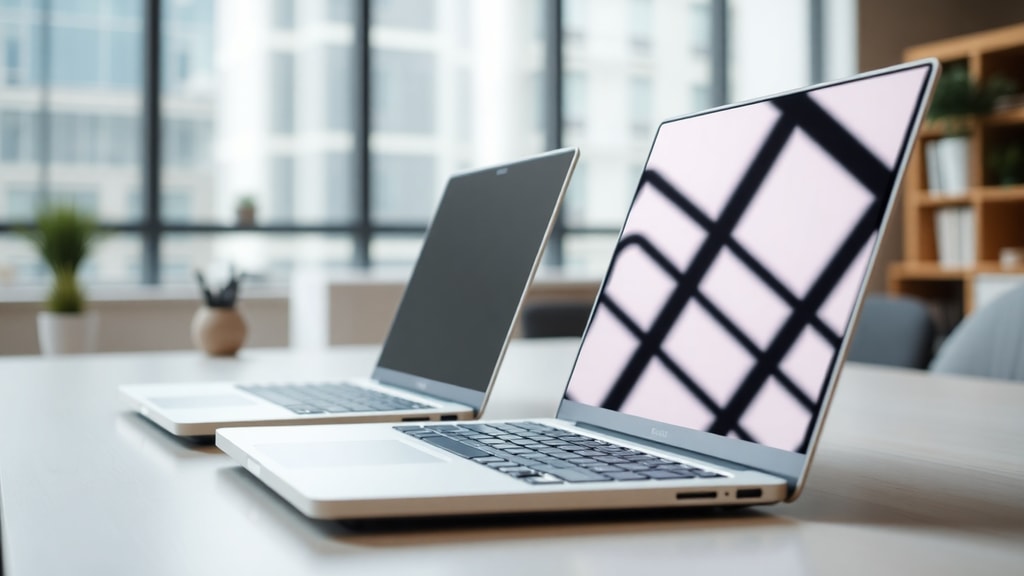
Finally, test the laptop in person if possible. Seeing a 14-inch and a 15.6-inch screen side by side helps you understand the difference. Many stores have display models you can try. Pay attention to how the screen feels for reading, typing, and watching videos. Your comfort is the ultimate deciding factor.
References
Lenovo Brasil. "Choosing the Best Laptop Screen Size." Accessed 2025. https://www.lenovo.com/br/pt/glossary/choosing-the-best-laptop-screen-size/
Avell. "Como Escolher o Tamanho de Tela do Seu Notebook." Accessed 2025. https://www.avell.com.br/blog/como-escolher-o-tamanho-de-tela-do-seu-notebook

O GLOBO. "Qual o Tamanho Ideal de Tela para Seu Notebook." Accessed 2025. https://oglobo.globo.com/politica/qual-tamanho-ideal-de-tela-para-seu-notebook-1-24755962
BringIT Blog. "Qual o Tamanho de Tela de Notebook em cm?" Accessed 2025. https://www.bringit.com.br/blog/dicas-e-tutoriais-para-notebook/duvidas-frequentes/qual-o-tamanho-de-tela-de-notebook-em-cm/
HP Brasil. "Como Escolher o Melhor Tamanho de Tela para o Notebook." Accessed 2025. https://www.hp.com/br-pt/shop/tech-takes/como-escolher-o-melhor-tamanho-de-tela-para-o-notebook
Vivendo Bauru. "Quais os Tamanhos de Tela de Notebook?" Accessed 2025. https://www.vivendobauru.com.br/quais-os-tamanhos-de-tela-de-notebook/