Introduction to Fan Control
Fan control is a fundamental aspect of modern cooling systems in computers, electronics, and industrial equipment. Proper fan management ensures components operate within safe temperature ranges while minimizing noise and energy consumption. Whether you are building a custom PC, maintaining a server, or designing embedded systems, understanding the methods and tools for fan speed regulation is essential. This guide explores the most common fan control techniques, from simple on/off switches to advanced digital controllers, with a focus on real-world applications and easy-to-follow advice.
Why Fan Control Matters for Cooling Performance
Without effective fan control, cooling systems either run at full speed constantly or fail to respond to temperature changes. Constant full speed creates excessive noise and reduces fan lifespan, while a lack of response can lead to overheating and component damage. By adjusting fan speed based on real-time temperature readings, you achieve the ideal balance between cooling efficiency and acoustic comfort. This is especially important in high-performance computers, where CPUs and GPUs generate significant heat under load, and in quiet environments like home theaters or offices.
PWM and DC: The Two Main Electrical Control Methods
The most common methods for controlling fan speed are Pulse Width Modulation (PWM) and Direct Current (DC) voltage control. PWM works by rapidly switching power to the fan on and off, varying the duty cycle (the percentage of time the power is on). This allows precise speed adjustment without changing the voltage level, providing smooth and quiet operation. PWM is the standard in modern computer fans and is supported by most motherboards and fan controllers.

DC control, on the other hand, adjusts speed by changing the voltage supplied to the fan. Lower voltage means slower speeds, but this method is less accurate because fans have a minimum voltage threshold below which they stall. DC control is simpler and cheaper, making it common in older PCs, automotive cooling, and simple household devices. However, it generally produces more electrical noise and less linear response compared to PWM. For a deeper technical explanation, see the article on electronic equipment ventilation control by Newton Braga.
Software-Based Fan Control: Real-Time Management
Software solutions give users the ability to create custom fan curves and monitor temperatures from within the operating system. One of the most popular tools is Fan Control for Windows, which supports both PWM and DC fans with a highly customizable interface. It allows you to set temperature thresholds, adjust response times, and mix multiple fan inputs. The software is free, lightweight, and compatible with a wide range of hardware.
For users of Corsair components, the iCUE software provides integrated fan control with intelligent controllers like Commander Core XT and iCUE LINK. It allows automatic fan curve adjustments based on CPU, GPU, or coolant temperatures, and can synchronize lighting effects. The main advantage of using iCUE is seamless integration with other Corsair peripherals. A detailed guide on creating fan curves in iCUE is available on the official Corsair explorer page.
BIOS and UEFI Setup for Basic Control
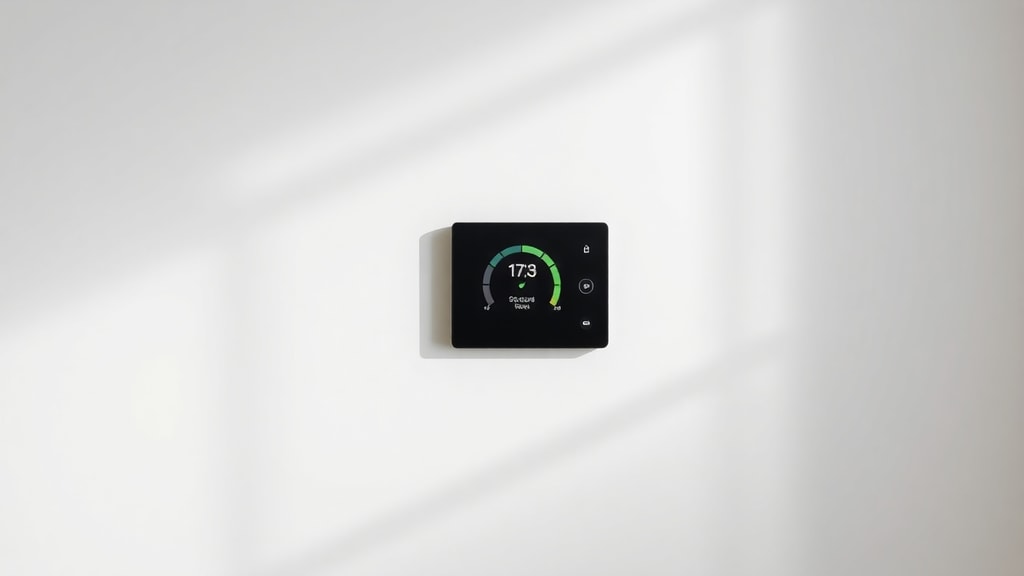
Another straightforward method is to configure fan curves directly in the motherboard’s BIOS or UEFI interface. This approach does not require any additional software or operating system dependencies. Most modern motherboards allow you to select between PWM and DC modes for each fan header, set temperature points, and define corresponding fan speeds. The process typically involves entering the BIOS during startup, navigating to the hardware monitor section, and adjusting the fan settings. This method is ideal for users who want a simple, reliable setup without extra programs. A video demonstration of controlling PC fan speed through BIOS is available on YouTube.
Advanced Control with PID Digital Controllers
For embedded systems or custom hardware projects, Proportional-Integral-Derivative (PID) controllers offer optimal fan speed regulation. PID algorithms continuously calculate the error between desired temperature and actual temperature, and adjust the fan output to maintain stability. This technique reduces overshoot and oscillation, providing smoother temperature management compared to simple on/off or proportional control. Digital PID controllers are commonly used in microprocessors and electronics that require precise thermal management. Academic research, such as the study on digital PID control for microprocessor fans published by Semana Acadêmica, demonstrates its effectiveness in real applications.
Simple On/Off Thermostatic Control
At the simplest level, thermostatic control switches the fan on when a temperature threshold is exceeded and off when it falls below a lower threshold. This method is common in basic cooling systems like power supplies, audio amplifiers, and some household appliances. While easy to implement, it creates abrupt on/off cycles that can be annoying and less efficient than gradual speed changes. Despite its simplicity, it remains a valid option for applications where noise and precision are not critical.

Comparison of Fan Control Methods
The following table summarizes the key characteristics of the most common fan control techniques.
| Method | Precision | Complexity | Typical Use |
|---|---|---|---|
| PWM | High | Medium | Modern PCs, server fans |
| DC voltage control | Low to medium | Low | Older PCs, automotive |
| Software curve (e.g., Fan Control) | High | Low (user-friendly) | Gaming PCs, workstations |
| BIOS/UEFI | Medium | Low | Basic setups, stability |
| PID digital controller | Very high | High (requires programming) | Embedded systems, critical cooling |
| On/Off thermostatic | Low | Very low | Simple electronics, appliances |
Step-by-Step List for Setting Up Fan Control
Follow these steps to improve your fan control for better cooling performance.
- Identify your fan connectors: 3-pin DC or 4-pin PWM. Check your motherboard manual for header compatibility.
- Choose your control method: PWM for best precision, DC if your board does not support PWM, or software for advanced curves.
- Install software if needed: download Fan Control for Windows or use iCUE for Corsair hardware.
- Set temperature sources: select CPU, GPU, motherboard, or coolant temperature as input.
- Create a fan curve: define speed percentages at different temperature points. Start with a gentle slope and adjust based on noise tolerance.
- Test under load: run a stress test or typical workload to verify temperatures and noise levels.
- Adjust and fine-tune: modify the curve if fans ramp up too quickly or if temperatures exceed safe limits.
Choosing the Right Fan Control Solution
Your choice depends on your hardware, technical skill, and cooling requirements. For most desktop PC users, a combination of BIOS setup and software like Fan Control offers the best flexibility without excessive complexity. Those who build custom liquid loops or work with sensitive electronics may benefit from digital PID controllers. Simple on/off thermostatic control remains appropriate for non-critical applications where cost and simplicity matter more than precision. Always consider airflow, component heat generation, and ambient temperature when designing your cooling strategy.
Conclusion
Effective fan control is the key to achieving superior cooling performance with minimal noise and energy waste. By understanding methods such as PWM, DC control, software adjustment, BIOS configuration, PID controllers, and thermostatic switching, you can select the approach that best fits your project. Modern tools and interfaces make it easier than ever to customize fan curves and monitor temperatures in real time. Explore the resources provided to deepen your knowledge and apply these techniques to your own systems.
References
Braga, Newton. Controle de Ventilacao em Equipamentos Eletronicos. Available at: https://newtoncbraga.com.br/projetos/12720-controle-de-ventilacao-em-equipamentos-eletronicos-art2871.html
Braga, Newton. Controle Digital de Ventoinha com o MSP430. Available at: https://newtoncbraga.com.br/microcontroladores/142-texas-instruments/2755-mic011a.html

Fan Control Official Website. Available at: https://getfancontrol.com
Corsair. How to Control Fans and Create Fan Curves in iCUE. Available at: https://www.corsair.com/br/pt/explorer/diy-builder/how-tos/how-to-control-fans-and-create-fan-curves-in-icue/
Semana Academica. Controle de uma ventoinha de microprocessador utilizando controlador PID digital. Available at: https://semanaacademica.org.br/system/files/artigos/controle_de_uma_ventoinha_de_microprocessador_utilizando_controlador_pid_digital.pdf
YouTube. How to control PC fan speed without installing programs! Available at: https://www.youtube.com/watch?v=ZriUKb2t4ew