Introduction to Printers for Home and Office
Choosing a printer for your home or office can feel overwhelming. The market is filled with different technologies, brands, and price points. Understanding what a printer actually does is the first step. A printer is an output device that converts digital text, graphics, or data from a computer into physical copies on paper or other media. Whether you need to print a simple document or high-resolution photos, the right device depends on your specific needs. This guide will walk you through the essential factors to consider, including print technology, cost per page, and features like scanning and copying. By the end, you will have a clear understanding of which type of printer fits your workflow and budget.
Types of Printers: Inkjet vs. Laser
The two dominant technologies in the consumer and office market are inkjet and laser printers. Inkjet printers use liquid ink sprayed through tiny nozzles onto paper. They are generally more affordable upfront and excel at printing vibrant color images and photos. Inkjet models are often the best choice for home users who print a mix of documents and graphics. Laser printers, on the other hand, use toner powder and a heated fuser to bond the toner to paper. The laser printer fuser heats up to nearly 400 degrees Fahrenheit, or about 205 degrees Celsius, to fuse the toner. Paper moves rapidly through rollers to avoid burning. Laser printers are typically faster, handle high volumes well, and have a lower cost per page for black-and-white text. They are ideal for offices and home users who print primarily text documents.
Single-Purpose Printers vs. Multifunction Printers
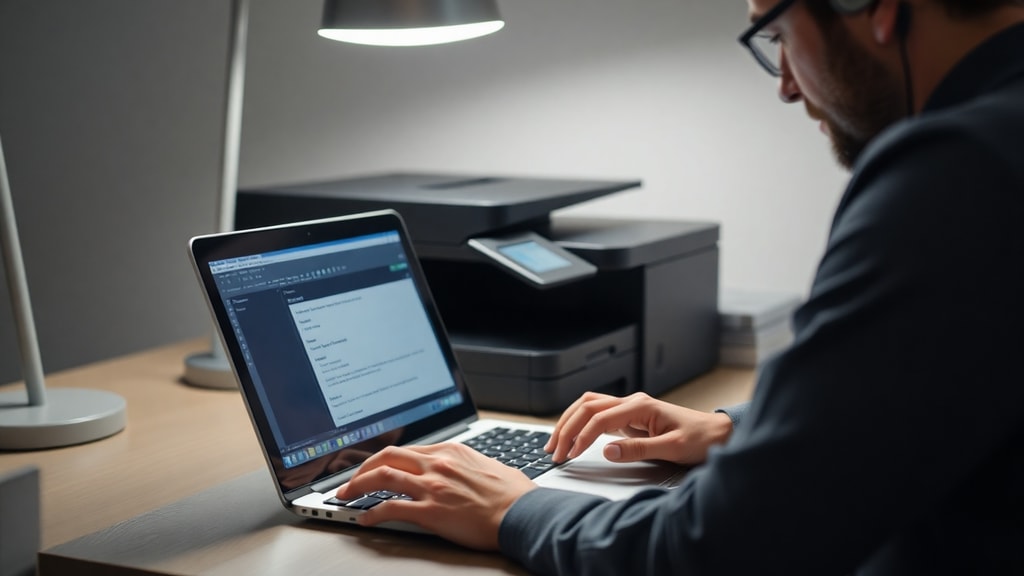
Another critical decision is whether to buy a single-purpose printer or a multifunction printer, often called an MFP. A single-purpose printer only prints. An MFP combines printing, scanning, copying, and often faxing into one device. For most home and small office users, an MFP offers better value. It saves desk space, reduces power consumption, and simplifies your workflow. If you only need to print and never scan or copy, a single-purpose printer might be slightly cheaper. However, the convenience of having a scanner for digitizing documents or making quick copies makes an MFP the more popular choice. Look for features like automatic document feeders, duplex printing, and wireless connectivity when evaluating MFPs.
Key Features to Consider
When shopping for a printer, several features determine its usability and long-term cost. Print speed is measured in pages per minute. Laser printers can achieve 20 to 40 pages per minute for black-and-white text. Inkjet printers are slower, often 5 to 15 pages per minute for color. Print resolution, measured in dots per inch, affects sharpness. For text, 600 by 600 dpi is adequate. For photos, look for at least 4800 by 1200 dpi. Connectivity options include USB, Ethernet, and Wi-Fi. Wireless printing from smartphones and tablets is essential for modern home offices. Also consider paper handling. Does the printer support automatic duplex printing? Does it have a large paper tray? These features directly affect your daily productivity.
Cost of Printing: Ink and Toner
The purchase price of a printer is only part of the total expense. The cost of consumables, primarily ink and toner, can be surprisingly high. Black printer ink is among the worlds most expensive liquids. It is estimated at roughly 2,700 dollars per gallon, which is significantly higher than the price of oil or rocket fuel. This is because printer ink is a precision-engineered fluid designed to produce consistent, high-quality results. Toner for laser printers is generally cheaper per page for text. For color printing, laser toner is also more economical for high volumes. When comparing printers, always check the cost per page. This figure combines the price of the cartridge and its yield. A cheaper printer may use expensive cartridges, making it more costly in the long run.
Top Printer Brands in the Market
Several manufacturers dominate the global printer market. Hewlett-Packard, commonly known as HP, is the worlds largest printer vendor. HP is followed by Canon, Brother, Epson, and Kyocera. Each brand has strengths. HP and Canon are leaders in home and office inkjet and laser printers. Brother is renowned for reliable, low-cost laser printers suited for small businesses. Epson is known for its PrecisionCore technology and Ecotank refillable ink systems, which drastically reduce ink costs. Kyocera focuses on high-volume solutions for large offices. When selecting a brand, consider availability of cartridges in your region and the brands reputation for customer support. Choosing a reputable brand often ensures better driver support and longer product lifespans.
Environmental Impact and Waste
Printers and their consumables have a significant environmental footprint. Discarded inkjet cartridges are a major environmental threat. If placed end-to-end, they would circle the Earth three times. Many manufacturers offer recycling programs for empty cartridges. Some companies also sell remanufactured or compatible cartridges, which are cheaper and reduce waste. For your home or office, you can lower environmental impact by using duplex printing to save paper, choosing high-yield cartridges that last longer, and recycling all used cartridges. Some modern printers offer eco-mode settings that reduce energy consumption and toner usage. Being mindful of these factors helps your bottom line and the planet.
Market Size and Industry Trends
The printing industry remains large despite the shift to digital documents. The global printer market was valued at approximately 53.28 billion dollars in 2024. This growth is driven by sectors like education, healthcare, and logistics, which require physical records. Another trend is the rise of 3D printing. Modern 3D printers can produce edible food, jewelry, clothing, and medical prosthetics. While this guide focuses on traditional printers for home and office, the same principles of cost and reliability apply. For offices, managed print services are becoming popular, where a vendor handles printer maintenance, supplies, and recycling for a monthly fee. This reduces overhead and ensures consistent performance.
How to Choose the Right Printer for Your Needs
To make the best choice, follow a structured evaluation. First, determine your primary use case. Do you mainly print text documents, or do you need high-quality color photos? For text-heavy tasks, a monochrome laser printer offers the lowest cost per page. For mixed use, a color inkjet or color laser printer is better. Second, estimate your monthly print volume. If you print fewer than 500 pages per month, an inkjet printer is fine. For 1,000 pages or more, a laser printer is more durable and cost-efficient. Third, consider the total cost of ownership. This includes the printer price, ink or toner costs, paper costs, and electricity. Finally, check for connectivity and software compatibility. Most modern printers support Wi-Fi and mobile printing through AirPrint or Google Cloud Print. Read reviews and watch video tests before purchasing.
Comparison Table: Inkjet vs. Laser Printers
The following table summarizes the key differences between inkjet and laser printers to help you decide.
| Feature | Inkjet Printer | Laser Printer |
|---|---|---|
| Print Technology | Liquid ink sprayed onto paper | Toner powder fused with heat |
| Best For | Color photos, mixed documents | Black-and-white text, high volume |
| Print Speed | 5–15 ppm (pages per minute) | 20–40 ppm |
| Cost Per Page | Higher for color, may be high for B&W | Very low for B&W, moderate for color |
| Upfront Price | Often lower | Higher for color models |
| Running Temperature | Cool operation | Fuser heats to ~400°F (205°C) |
| Durability | Good for moderate use | Excellent for high volumes |
List of Essential Printer Features for Office Use
For a productive office environment, you should prioritize the following features.
Automatic Document Feeder (ADF): This allows you to scan or copy multiple pages without manually placing each sheet on the glass.
Duplex Printing: Automatic two-sided printing saves paper and reduces clutter.
High-Yield Cartridges: Look for printers that offer XL or XXL cartridge options to reduce replacement frequency.
Network Connectivity: Ethernet and Wi-Fi are essential for sharing the printer among multiple users.
Security Features: For sensitive documents, choose a printer with secure printing or user authentication.
Low Cost Per Page: Always calculate the cost per page before buying, especially for high-volume printing.
Conclusion
Finding the best printer for your home or office requires balancing upfront cost, running expenses, and features. Inkjet printers are excellent for vibrant color photos and low-volume general use. Laser printers excel at fast, economical text printing. Multifunction printers add scanning and copying, making them the most versatile choice for most users. Remember to factor in the high cost of ink and toner. The global printer market is robust, with HP, Canon, Brother, and Epson leading the industry. By assessing your specific needs and using the comparison table above, you can make an informed purchase that serves you for years. Always check for environmental programs and consider the total cost of ownership.
References
This article is based on research from authoritative sources in the printing industry. For more detailed information, please refer to the following resources. The definition and mechanism of printers are discussed by TechTarget in their article titled What are printers and how do they work? This source explains the core technologies and types. Market data and vendor rankings are available from Wikipedia in their entry Printer (computing). Additional facts about laser printer temperatures and ink costs come from the StickerYou blog post titled The State of Print: A Data-Driven Look at the Printing Industry (2023-2025) and the Kopytek blog post 5 Things You Didnt Know About Laser Printing at https://www.kopytek.com/blog/5-things-didnt-know-laser-printing/. Environmental statistics regarding cartridge waste are sourced from the Zippia article Printer Demographics and Statistics 2025 at https://www.zippia.com/printer-jobs/demographics/.