Understanding Certificate Issuance
Certificate issuance is a foundational process in public key infrastructure (PKI) and digital credential management. Whether you are a system administrator securing internal communications, an educator recognizing student achievements, or a business owner verifying employee training completion, issuing a certificate involves a sequence of steps that transform a raw request into a trusted digital document. This guide covers the general principles of certificate issuance across different platforms, including cloud-based certificate authorities, on-premises Windows servers, and automated learning management systems.
A certificate is essentially a digitally signed document that binds a public key to an entity, such as a person, server, or organization. The issuing authority, known as a Certificate Authority (CA), validates the information in the request before signing the certificate. The exact workflow depends on whether you are issuing SSL/TLS certificates for websites, client authentication certificates for internal networks, or completion certificates for training programs. We will explore each scenario with practical instructions.
Preparing the Certificate Request
Before any certificate can be issued, a Certificate Signing Request (CSR) must be created. The CSR contains the subject information, such as the common name, organization, and country, along with the public key. The private key paired with this public key must be securely stored by the requester. In many automated systems, the CSR generation and submission are handled transparently by the software requesting the certificate.
For manual issuance in enterprise environments, the requester generates a key pair and CSR using tools like OpenSSL or platform-specific utilities. The CSR is then submitted to the CA, either through a web interface, command-line tool, or email. The CA administrator reviews the request and verifies that the information matches the intended entity. In cloud services, this verification is often automated through domain validation or identity checks.
Once the CSR is received, the CA proceeds to create the certificate. This involves adding metadata such as serial number, validity period, and extensions (for example, key usage or subject alternative names). The CA then digitally signs the certificate with its own private key, creating a trusted document that can be used for authentication or encryption.
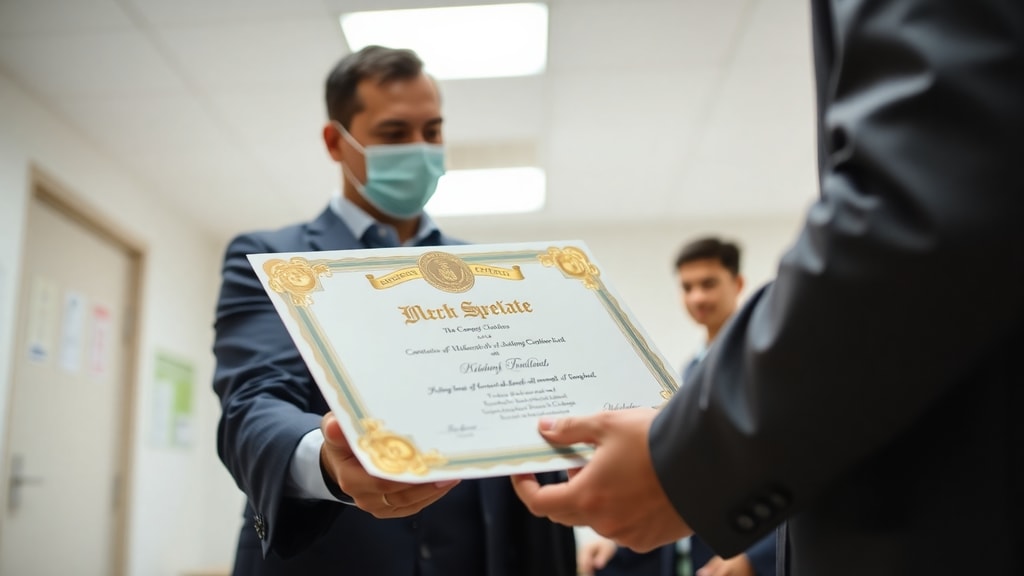
Issuing Certificates via AWS Private CA
Amazon Web Services (AWS) provides a managed private certificate authority service called AWS Certificate Manager Private CA (ACM PCA). This service allows you to issue private certificates for internal applications, without the cost of a public CA. To issue a certificate using the AWS CLI, you use the aws acm-pca issue-certificate command. You must provide the ARN of your private CA, the CSR, a signing algorithm (such as SHA256WITHRSA), and the validity period. The API returns the ARN of the newly issued certificate.
For example, you would run a command similar to this: aws acm-pca issue-certificate --certificate-authority-arn [CA_ARN] --csr fileb://path/to/your.csr --signing-algorithm SHA256WITHRSA --validity Value=365,Type=DAYS. The output will include the certificate ARN, which you can then use to retrieve the signed certificate content. AWS also supports exporting the certificate in PEM or CRT format for use on servers and clients.
In the AWS Management Console, you navigate to the Certificate Manager Private CA service, select your CA, and then choose the option to issue a certificate. You can upload the CSR file, or in some cases, generate the key pair and CSR directly through the console. This method is convenient for administrators who prefer graphical interfaces over command-line tools.
Issuing Certificates on Microsoft Windows CA Server
For organizations running on-premises Active Directory environments, the Windows Server Certificate Authority role provides a robust solution. Certificate requests are typically generated by clients through the Certificates MMC snap-in or via web enrollment pages. When a request is submitted, it appears in the Pending Requests folder of the Certification Authority management console.
To issue the certificate, the administrator opens the Certification Authority MMC snap-in (run mmc.exe and add the snap-in), expands the server name, and clicks on Pending Requests. Right-click the pending request and select All Tasks, then Issue. The certificate is then placed in the Issued Certificates folder. The requester can retrieve the certificate by refreshing their local certificate store or using the web enrollment interface. This manual approval step ensures that only authorized requests are granted.

Windows CA also supports automatic issuance if the CA is configured to auto-enroll clients based on Group Policy settings. In auto-enrollment scenarios, domain-joined computers and users receive certificates automatically without administrator intervention. However, for high-value certificates such as domain controller authentication or code signing, manual issuance is strongly recommended to maintain security.
Issuing Certificates with Google Cloud CA Service
Google Cloud Platform offers a Certificate Authority Service that integrates with its cloud infrastructure. To issue a certificate, you first need to create a CA pool and a certificate template. A template defines the parameters for the certificate, such as allowed key algorithms, X.509 extensions, and the maximum validity period. You can use predefined templates or create custom ones.
In the Google Cloud Console, navigate to Security and then Certificate Authority Service. Select your CA pool, then click the Create certificate button. You will need to provide a certificate name and specify the subject distinguished name. You can generate a new key pair and CSR on the server or upload an existing CSR. After configuring the template and validity period, click Create. The certificate is generated and stored in the CA service, and you can download it in PEM format for use in your applications.
Google Cloud also supports issuance via the gcloud command-line tool, which is useful for automation. The command requires specifying the CA pool location, the pool name, the certificate name, and either a CSR file or the subject details if generating a key pair. This flexibility allows integration with continuous integration and deployment pipelines.
General PKI Process Overview
Regardless of the platform, the general PKI certificate issuance process follows a logical sequence. First, the subject generates a public and private key pair. The private key remains confidential, while the public key is included in a CSR. Second, the CSR is submitted to a trusted CA, along with proof of identity. Third, the CA validates the request, either automatically through domain verification or manually through administrative review. Fourth, the CA generates the certificate, adding the public key, serial number, validity dates, and extensions, and signs it with the CA private key. Finally, the signed certificate is returned to the requester and installed in the appropriate location.

For SSL/TLS certificates, the certificate is installed on a web server. For client certificates, it is installed in a user or device certificate store. The entire process creates a chain of trust from the root CA to the end entity certificate, enabling secure communication. Understanding this chain helps troubleshoot issues when certificates are not trusted by clients.
Issuing Completion Certificates in Educational or HR Platforms
Digital credential platforms such as Classera and Certifier allow organizations to issue certificates for training completions, course achievements, or professional development. These platforms simplify the process by providing pre-designed templates that include the organization logo, participant name, completion date, and any relevant details. To issue certificates, administrators first select a template from the library or create a custom one using built-in tools.
Next, they choose recipients, either individually or by uploading a CSV file with participant details. The CSV typically contains columns such as full name, email, course name, and completion date. The platform automatically fills these variables into the certificate template fields. Some platforms allow batch issuance for hundreds or thousands of recipients simultaneously. Once the list is ready, the administrator clicks Issue or Publish. The platform generates the certificates as PDF or digital badges and distributes them via email or a downloadable link. Recipients can then view, download, or share their certificates online.
The following table summarizes key issuance methods across different platforms:
| Platform | Interface Type | Input Required | Output Format |
|---|---|---|---|
| AWS Private CA | CLI or Console | CA ARN, CSR file, validity period | PEM or CRT |
| Windows CA Server | MMC Snap-in | Pending request from client | X.509 certificate |
| Google Cloud CA | Console or gcloud CLI | CA pool, template, subject details or CSR | PEM |
| Certifier | Web UI | Template, recipient data (CSV or manual) | PDF or digital badge |
Best Practices for Certificate Issuance
To ensure the security and reliability of issued certificates, follow these best practices. Always protect the private key by storing it in a hardware security module (HSM) or a secure software keystore. Never transmit private keys over unencrypted channels. For private CAs, restrict access to the issuance function to only authorized administrators using role-based access control. Set reasonable validity periods to limit exposure in case of key compromise. Common validity periods for private certificates range from one to three years. Finally, maintain a certificate revocation list (CRL) or use online certificate status protocol (OCSP) to invalidate certificates that are no longer trusted.

Common Issues and Troubleshooting
When issuing certificates, you may encounter common problems. The CSR might contain incorrect subject information, such as a missing common name or invalid domain. In that case, regenerate the CSR with the correct details. The CA might reject the CSR due to an unsupported signature algorithm. Ensure the CSR uses algorithms supported by your CA, such as SHA256 with RSA 2048-bit keys. For cloud CAs, check that the CA pool has not reached its certificate issuance limit. For Windows CA, verify that the server's certificate templates are correctly configured and that the applicant has the required permissions to enroll.
In educational platforms, common issues include missing recipient data in the CSV upload, leading to empty fields in the generated certificates. Always validate the CSV data before batch issuance. Also, ensure that the certificate template fonts and layout are compatible with the platform to avoid text overflow or missing graphics.
References
AWS Documentation – Issue private end-entity certificates. Available at: https://docs.aws.amazon.com/privateca/latest/userguide/PcaIssueCert.html.
AWS CLI Reference – issue-certificate. Available at: https://docs.aws.amazon.com/cli/latest/reference/acm-pca/issue-certificate.html.
Microsoft Learn – How to manually create client certificate on CA server. Available at: https://learn.microsoft.com/en-us/answers/questions/1469140/how-to-manually-create-client-certificate-on-ca-se.

Google Cloud Docs – Request a certificate using a certificate template. Available at: https://cloud.google.com/certificate-authority-service/docs/issue-certificate-using-template.
ScienceDirect – Issuing Certificate - an overview. Available at: https://www.sciencedirect.com/topics/computer-science/issuing-certificate.
Medium – Introduction to Certificate Issuance in PKI. Available at: https://medium.com/@happygoat/introduction-to-certificate-issuance-in-pki-c83aae570a62.
Classera User Manual – Issue Certificates. Available at: https://manual.classera.com/docs/issue-certificates/.
Certifier Blog – How to Create a Digital Certificate. Available at: https://certifier.io/blog/how-to-create-certificates-online-in-3-easy-steps.