What is an IMEI Number?
The IMEI, or International Mobile Equipment Identity, is a unique 15-digit code assigned to every mobile device that connects to a cellular network. Think of it as a fingerprint for your phone. Unlike a SIM card, which identifies the user and can be swapped between devices, the IMEI is permanently tied to the hardware. It remains unchanged even after a factory reset, software update, or SIM change. This code is used by network operators and authorities to identify devices for purposes such as blocking stolen phones, managing network access, and verifying warranty status. The last digit of an IMEI is a checksum calculated using the Luhn algorithm, which helps ensure the number is valid and not a random string. For dual-SIM devices, two IMEI numbers exist: IMEI 1 for the first SIM slot and IMEI 2 for the second. Both should be verified when checking a phone’s status online. Understanding what an IMEI is sets the foundation for why lookup services are essential for anyone buying or owning a smartphone.
How to Find Your IMEI Number
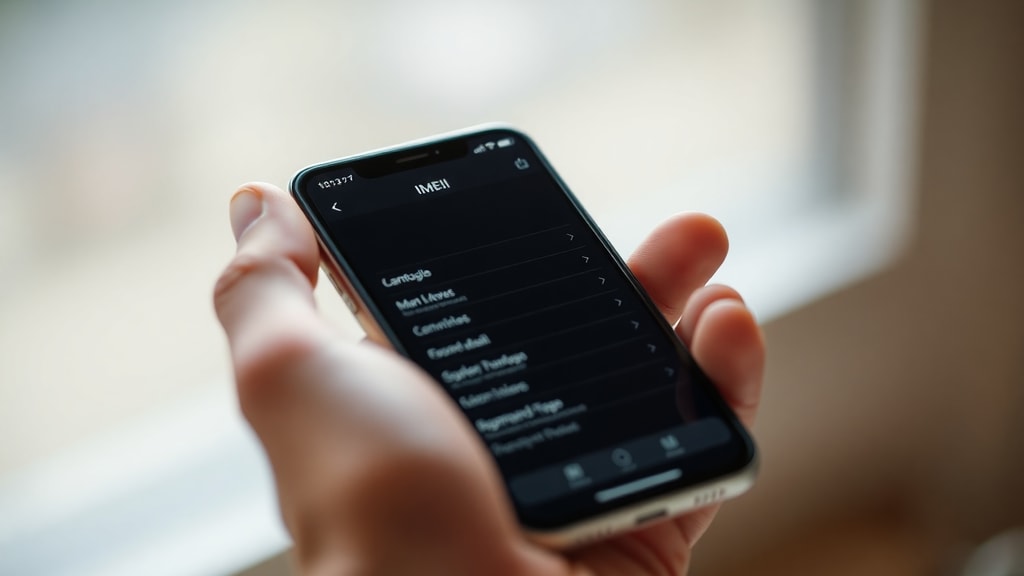
Locating your IMEI is straightforward. The fastest method is to open the phone dialer and enter *#06#. The IMEI will appear on the screen instantly. This universal code works on virtually all mobile phones, regardless of brand or operating system. Alternatively, you can find the IMEI in the device settings. On Android, go to Settings, then About Phone, and look for Status or IMEI information. On an iPhone, navigate to Settings, General, then About. The IMEI is listed there along with other device details. For older phones, the IMEI is often printed on a sticker inside the battery compartment or on the SIM tray. When buying a used phone, always ask the seller to provide the IMEI from the settings menu or by dialing the code. This ensures the number matches the device and has not been tampered with. Knowing how to retrieve the IMEI quickly allows you to perform an instant check before making a purchase or if you suspect your phone has been lost or stolen.
Why Should You Check Your IMEI?
Checking your IMEI helps you make informed decisions and avoid costly mistakes. Here are common reasons to verify a device using its IMEI number:
- To confirm the phone is not blacklisted as stolen or lost, which could prevent it from connecting to cellular networks.
- To check if the device is still under manufacturer warranty or has active insurance coverage.
- To verify the model, storage capacity, and color match the seller’s description when buying second-hand.
- To ensure the phone is compatible with your carrier’s network bands before purchasing.
- To detect activation locks or carrier restrictions that might limit usage.
- To report a lost or stolen phone to your carrier and have its IMEI added to a global blacklist.
Performing a simple online lookup can save you from buying a bricked phone or unknowingly purchasing stolen property. Many free IMEI checker services provide instant results, giving you peace of mind in a matter of seconds.
How to Perform an IMEI Lookup
Using an online IMEI checker is the easiest way to get comprehensive information about a mobile device. Start by obtaining the 15-digit IMEI using one of the methods described above. Then visit a reputable website such as IMEI.info or IMEI24. Enter the IMEI number in the search box and click check. Within seconds, the service will retrieve details including the brand, model, network compatibility, warranty expiration, and whether the device is reported as stolen or blacklisted. For users in Brazil, the national telecom regulator ANATEL provides an official portal where you can verify if a device is registered as blocked or impeded. Using official or trusted third-party checkers ensures the accuracy of the data. Free services are adequate for most needs, but some paid services offer additional features like extended history reports or batch checks for resellers. Always avoid suspicious websites that ask for personal information beyond the IMEI.
Understanding IMEI Check Results
After running a lookup, you will typically receive several pieces of information. The most critical is the blacklist status, which indicates if the phone has been reported lost or stolen to a carrier or central database. A clean result means the device is not blocked on major networks. You will also see the manufacturer, model name, and sometimes the year of release. The warranty status may show remaining coverage if the device is still within the manufacturer's period. Network lock information reveals whether the phone is locked to a specific carrier or unlocked for any SIM. Some checkers also display the color, storage size, and even the original country of purchase. If you are using a dual-SIM phone, ensure you check both IMEIs against the blacklist. A device might be blocked on one IMEI but show clean on the other, leading to problems later. Understanding these results helps you evaluate whether a phone is safe to buy or use.
Example IMEI Lookup Results Table
| Data Field | Example Result |
|---|---|
| IMEI | 356938035643809 |
| Brand | Apple |
| Model | iPhone 13 Pro Max |
| Color | Graphite |
| Storage Capacity | 256 GB |
| Blacklist Status | Clean (Not Reported) |
| Warranty | Active until March 2025 |
| Network Lock | Unlocked |
This example illustrates the kind of detailed information you can expect from a reliable IMEI lookup service. Always compare multiple data points to ensure the device meets your expectations.
IMEI vs SIM: Key Differences
The IMEI and SIM card serve completely different roles. The SIM card is a removable chip that stores your subscriber identity, phone number, and contacts. It can be moved from one phone to another, allowing you to keep your number and plan. The IMEI, on the other hand, is permanently embedded in the device hardware. It cannot be changed, even by resetting the phone to factory settings. Network operators use the IMEI to block a specific device, not the SIM card. For example, if your phone is stolen, you can report the IMEI to your carrier, and they will prevent that device from connecting to their network, regardless of which SIM card is inserted. This distinction is crucial when buying a second-hand phone: a stolen device might be blacklisted by IMEI, making it unusable even with a new SIM. Always check the IMEI before exchanging money.
Common Questions About IMEI Lookup
Many users wonder if IMEI checks are safe. Reputable online services do not store your IMEI or share it with third parties. They simply query public databases and return information. Can an IMEI be changed? In most countries, altering a device's IMEI is illegal and technically difficult. Modern phones have the IMEI stored in read-only memory, making tampering nearly impossible. If you encounter a phone with an invalid or all-zero IMEI, it may be a counterfeit or a stolen device. Is it necessary to check both IMEIs on a dual-SIM phone? Yes, because each slot has its own identity. A carrier may block only one IMEI, leaving the other active. If you intend to use both SIM slots, verify both numbers. Some services allow you to check two IMEIs at once. Always double-check the IMEI you enter to avoid typos, as the Luhn algorithm will detect invalid numbers, but a wrong digit can lead to incorrect results.
References
The information in this article is based on trusted sources. IMEI.org provides a clear definition of the IMEI and its structure. IMEI.info offers guidance on finding your IMEI and performing online checks. ANATEL, the Brazilian telecom regulator, supplies official IMEI verification services and details about dual-SIM devices. IMEI24 provides a free and user-friendly checker for global users. Swappa explains the difference between IMEI and SIM, as well as the Luhn check digit algorithm. For further reading, visit these websites: IMEI.org, IMEI.info, ANATEL Gov.br, IMEI24, and Swappa. Always refer to official or reputable sources when verifying a device's status to ensure accuracy and security.